/changelog

Changelog

All updates and improvements

v1.7.0

LatestFebruary 7, 2026

Jules AI, MCP Server & Text Overhaul

A massive update packed with new tools. Jules AI is an early alpha experiment that can generate poster layouts from a text prompt — designs aren't great yet, but it's a fun starting point to iterate from. Plus: MCP server for AI agents, a complete docs site, interactive text tools, auto-layout groups, and a mountain of polish.

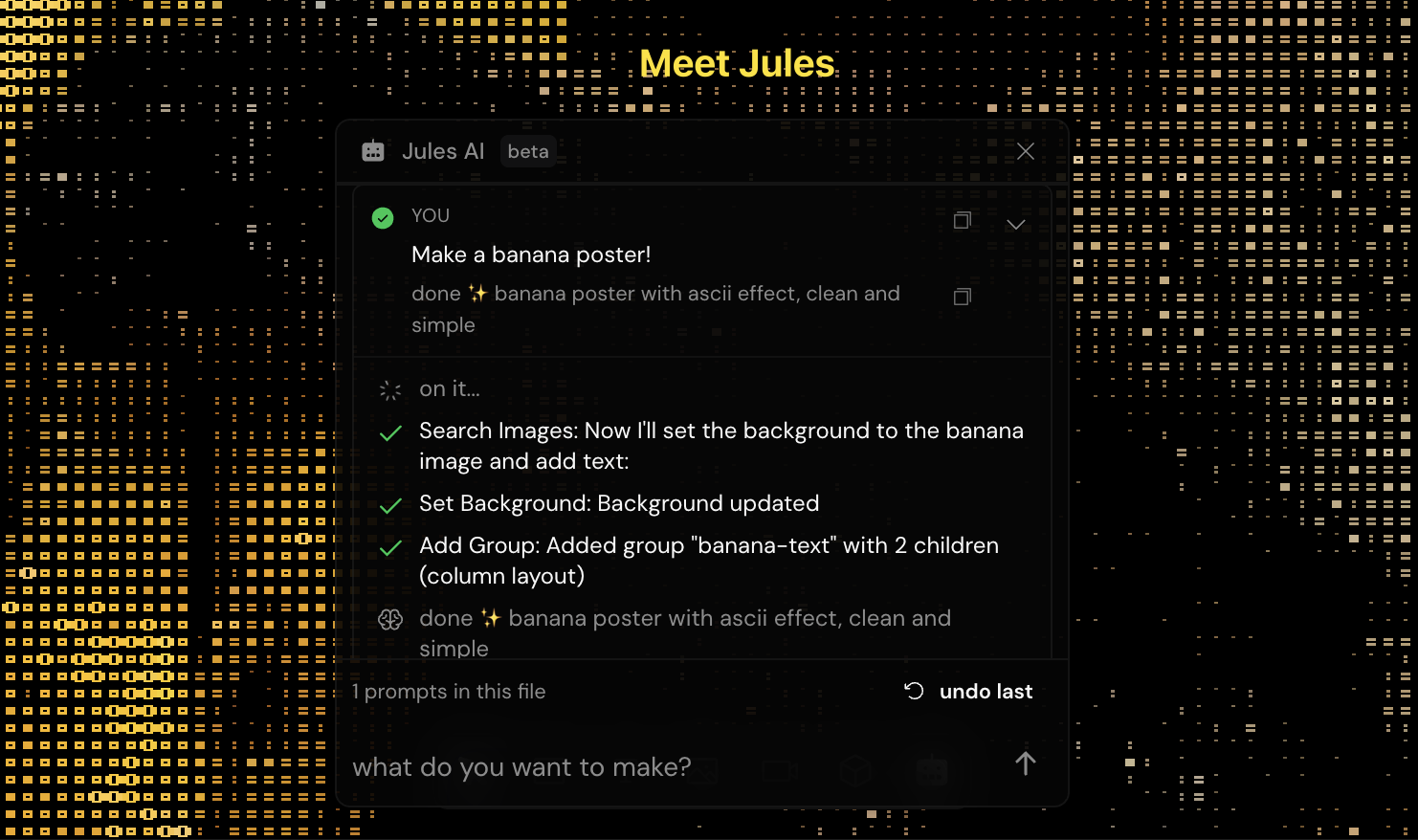
Jules AI design assistant generating a poster layout from a text prompt
  • Jules AI (early alpha) - describe a poster and Jules takes a shot at building it. Designs still need work, but it's a fun starting point to riff onfeature
  • MCP server - any AI agent (Claude Code, Cursor, etc.) can create Efecto posters programmaticallyfeature
  • Interactive text tool - click to create point text, drag to draw text frames (like Figma)feature
  • Flex groups with auto-layout - group layers with flexbox direction, gap, padding, and alignmentfeature
  • Full documentation site at efecto.app/docs with interactive API explorerfeature
  • Animated text layers - 12 animation types including wave, typewriter, glitch, neon, and morefeature
  • Smart model selection - Sonnet 4.5 for first drafts, Haiku 4.5 for fast iterationsfeature
  • Jules uses flexbox layouts, groups, and design recipes to structure postersfeature
  • Live streaming transcript so you can watch Jules think and build in real timefeature
  • One-command MCP install - `npx efecto-mcp` sets everything up automaticallyfeature
  • MCP text animations - all 12 animation types available via MCP toolsfeature
  • MCP group support - create and manage grouped layers with auto-layout via AIfeature
  • Docs search with Cmd+K and copy-page button on every pagefeature
  • Complete effect documentation - every ASCII, dither, halftone, glitch, and art effect with parametersfeature
  • Public API - state encode/decode, validation, async image rendering, and JSON schema endpointsfeature
  • Text frame model - area text with auto-wrap and vertical alignment, separate from point textfeature
  • Centralized typography engine - single source of truth for text measurement across canvas, renderer, and APIfeature
  • Figma-style layer arrangement - drag to reorder, group/ungroup, and local-axis resize handlesfeature
  • Duotone color presets for mono halftone - choose from curated ink + paper combinationsfeature
  • Visual shape selector for halftone dots - circle, square, diamond, and line shapesfeature
  • 3:4 aspect ratio - new portrait format option across canvas, URL sharing, and APIfeature
  • 23+ new video samples added to the media libraryfeature
  • Variable font support with proper Google Fonts loadingfeature
  • Cmd+. keyboard shortcut to toggle sidebarsfeature
  • User-friendly sliders - all effect and post-process controls now show human-readable values (degrees, percentages, whole numbers)improvement
  • Editable slider values - click any slider value to type an exact numberimprovement
  • NumberInput with stepper - shift+arrow for fine control, tab between fieldsimprovement
  • Media browser performance - virtualized grids, image caching, skeleton loading, and static video thumbnailsimprovement
  • Halftone tab moved before glitch in the effect panel for better discoverabilityimprovement
  • Dither palette navigation with arrow keys and increased max point size to 20improvement
  • Glitch art blog post with tips and techniques at efecto.app/blogimprovement
  • MCP landing page at efecto.app/mcp with install instructions and docs linksimprovement
  • Animated text now handles line breaks, emojis, spaces, and special characters correctlyfix
  • Font loading race conditions resolved - fonts load reliably with proper fallbacksfix
  • URL encoding fixes - background media, text defaults, and post-process settings all persist correctlyfix
  • Better glitch defaults - Digital block opacity at 0, Weird chance at 66%, Chromatic shape squarefix
  • Panel scrollbars hidden while keeping scroll functionalityfix
  • Video play/pause race conditions and media reset on mouse move resolvedfix
  • Comprehensive parameter validation and clamping across MCP server and APIfix

v1.6.0

January 30, 2026

GIPHY & Media Browser Upgrades

Browse millions of GIFs from GIPHY, enjoy smoother scrolling in the media browser, and try 6 new templates. Plus avatar customization, API endpoints, and lots of polish.

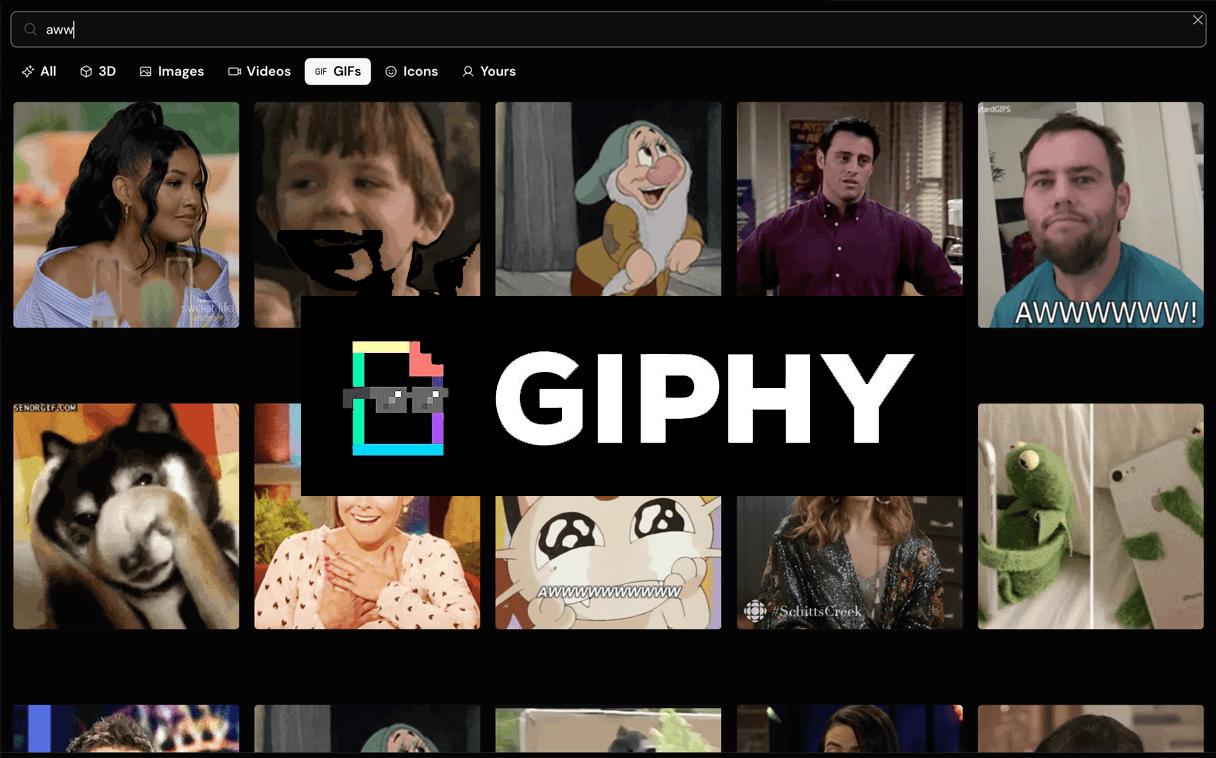
GIPHY integration showing cat GIF search results in the media browser
  • GIPHY integration - search millions of GIFs directly in the media browserfeature
  • Avatar customization - upload profile pics with Efecto effects, crop, and zoomfeature
  • 6 new templates - Celestial, Retro Game, and 4 more creative presetsfeature
  • Border radius for image and video layersfeature
  • Google Fonts - 1000+ fonts with live preview while browsingfeature
  • Virtualized media grid - smooth scrolling with hundreds of itemsimprovement
  • Larger thumbnails in input panel and media browserimprovement
  • Faster media loading with parallel fetching and cachingimprovement
  • Share links no longer create duplicate posters on refreshfix
  • Layers persist correctly on page refreshfix
  • Fixed race conditions in media browser when switching tabsfix
  • GIFs now animate properly in canvas and background layersfix

v1.5.0

January 23, 2026

Dashboard & Pro Accounts

A proper home base for Efecto with your recent posters, templates, and updates. Sign in to sync your work across devices.

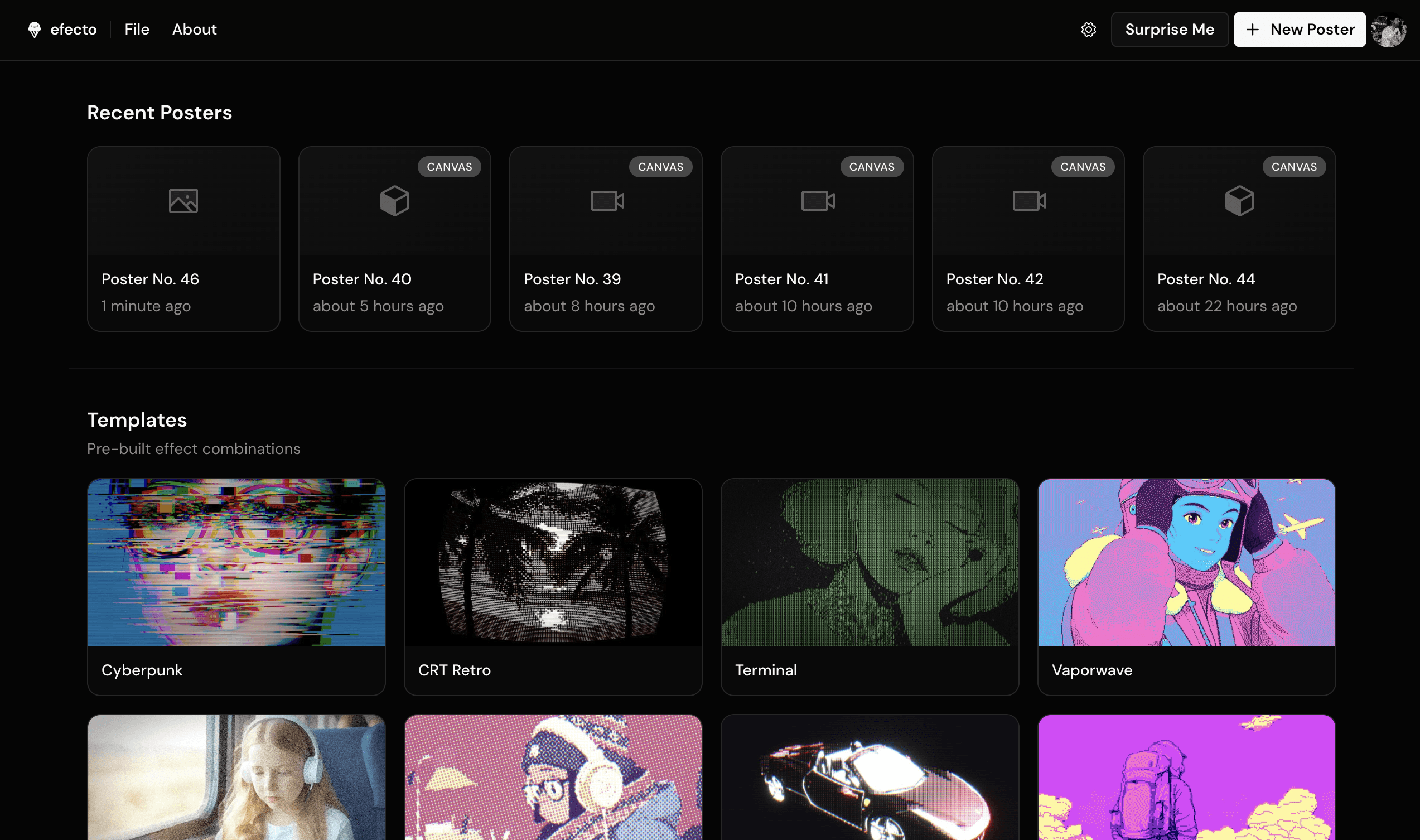
Efecto dashboard showing recent posters and effect templates
  • Dashboard page - your home base at efecto.app/dashboard with recent posters, templates, and updatesfeature
  • User accounts - sign in with email or GitHub to save your workfeature
  • Cloud sync - your posters sync across all your devices automaticallyfeature
  • Pro subscriptions - $4.99/month or $49.99 lifetime, with a 7-day free trialfeature
  • 3 new templates - Pulsar, Painted Glass, and Misprint (12 total)feature
  • 8 new media samples - 4 videos and 4 portrait imagesfeature
  • New from Template - create posters from templates right in the editor (File menu or Cmd+K)feature
  • Surprise Me button - randomize everything with one clickfeature
  • New Efecto logo with happy face used throughout the appimprovement
  • Auth stability improvements - faster login, no more stuck spinnersfix

v1.4.0

January 18, 2026

Artistic Sketch Effects

Transform your visuals into artistic styles with oil painting effects, sketchy pencil lines, hatching patterns, and clean contour extraction.

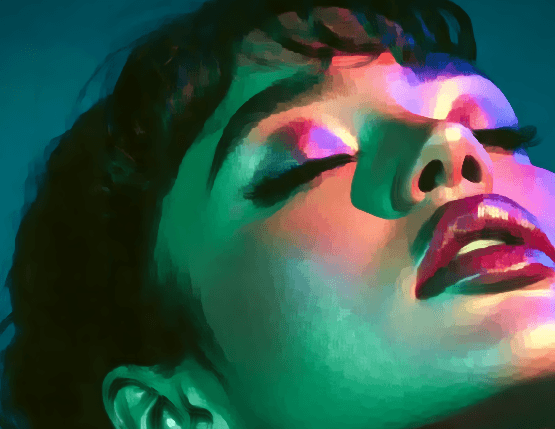
Kuwahara painterly effect applied to a portrait, creating an oil painting style
  • Kuwahara effect - painterly oil painting filter with adjustable radius for smooth, artistic renderingfeature
  • Scribble effect - sketchy pencil-style lines that follow image contoursfeature
  • Crosshatch effect - classic hatching and cross-hatching patterns for engrave-style visualsfeature
  • Line Art effect - extract clean contour lines for cartoon and illustration stylesfeature
  • New Art category tab grouping all artistic effect stylesfeature
  • New halftone tutorial blog post at efecto.app/blogimprovement

v1.3.0

January 17, 2026

Motion Blur & Halftone

Add cinematic motion blur with linear, radial, and rotational modes. New Halftone effect tab, layered Warp distortion, expanded video library, and SEO improvements.

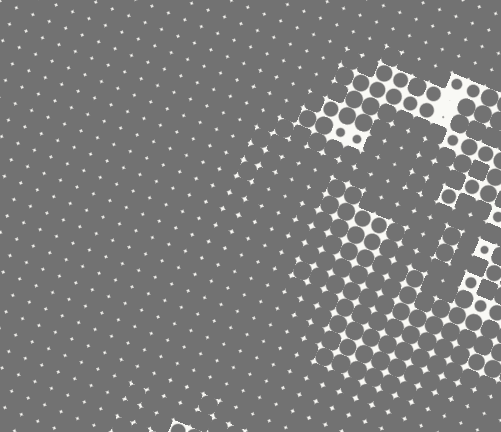
Halftone effect showing dot pattern rendering on a portrait
  • Motion Blur effect - linear (directional), radial (zoom), and rotational (spin) blur modes with intensity up to 200%feature
  • Position picker for Motion Blur - set the center point for radial and rotational blurfeature
  • Halftone effect tab - RGB halftone shader with separate dot controls for each color channelfeature
  • Warp post-process effect - layered sinusoidal distortion with bump mapping and specular highlightsfeature
  • 37 new videos added to the media libraryfeature
  • SEO improvements - structured data (JSON-LD), canonical URLs, and better accessibilityimprovement
  • Motion Blur samples slider goes up to 48 for smoother blur qualityimprovement

v1.2.0

January 15, 2026

Light Beams & Weird Glitch

Volumetric light scattering with animated dust motes, a new chaotic glitch effect, and major mobile improvements.

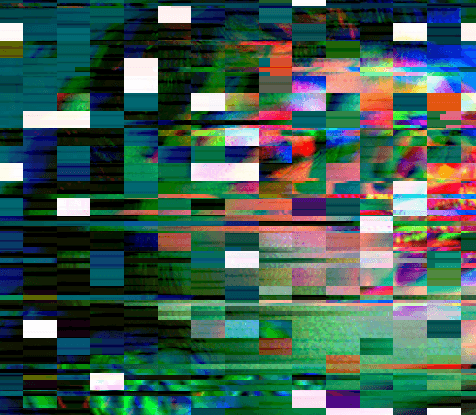
Digital glitch effect with block artifacts and color distortion
  • Light Beams effect - volumetric light scattering with animated dust particles floating in the beamsfeature
  • Position picker for Light Beams - click and drag to set the light origin pointfeature
  • Weird Glitch effect - chaotic slicing, color flashes, screen shake, and local warpingfeature
  • Lummi image filters - filter stock photos by spatial/depth data availabilityfeature
  • Randomize button in post-process popovers - quickly shuffle settings for any effectfeature
  • Mobile gesture support - pinch to zoom, two-finger pan on touch devicesimprovement
  • Mobile bottom toolbar stays visible above browser UI on iOSimprovement
  • Toast notifications repositioned to avoid blocking mobile controlsimprovement
  • Chrome iOS viewport height now correct on first loadfix
  • Spatial cache collision handling improved for reliable 3D conversionsfix

v1.1.0

January 11, 2026

Spatial 3D and Pan Controls

Turn photos into explorable 3D scenes with Apple SHARP, pan around with spacebar, and enjoy new effect templates.

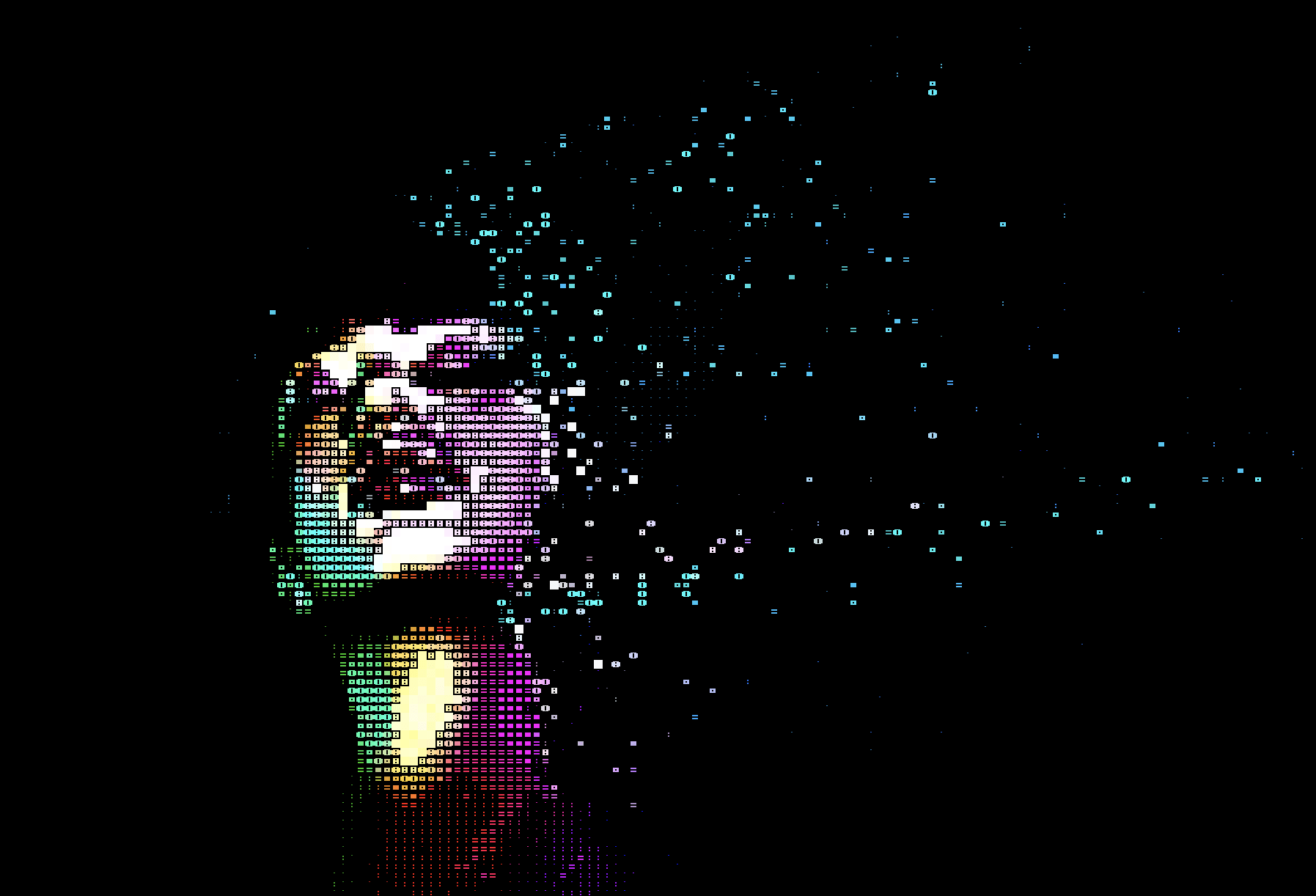
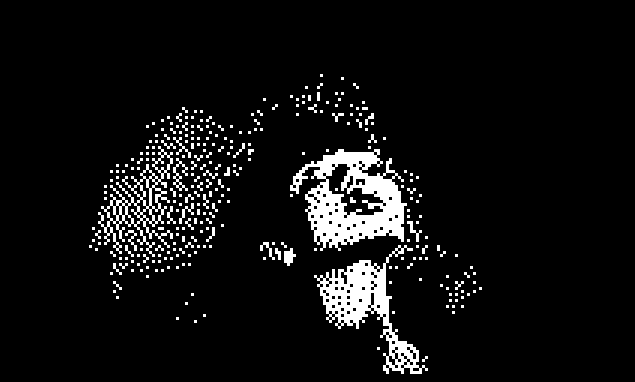
Spatial 3D mode showing 2D to 3D point cloud conversion with ASCII effect
  • Spatial 3D - convert any image into a 3D point cloud using Apple SHARP modelfeature
  • Spacebar pan mode - hold spacebar to pan around 3D models and spatial viewsfeature
  • Scale and pan controls for 2D images and videosfeature
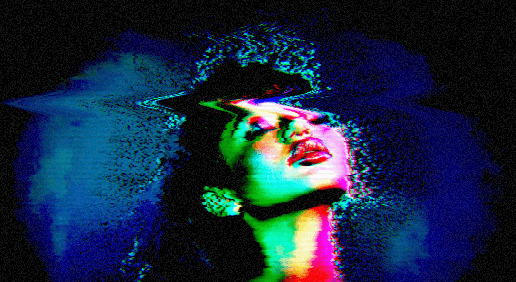
  • Vaporwave and Cyberpunk post-process templatesfeature
  • CRT Monitor preset now includes NES color palettefeature
  • Renamed Black Hole shader to Abyssimprovement
  • Upload thumbnails now show delete confirmation dialogimprovement
  • Increased file upload limit from 2MB to 5MBimprovement
  • Improved toggle button contrast in light modefix

v1.0.0

January 3, 2026

Unified Media Library & Lummi Integration

A huge update! Browse stock photos, search 1,500+ icons, and use them as 3D input. Plus mobile support, new toolbar, and tons of polish.

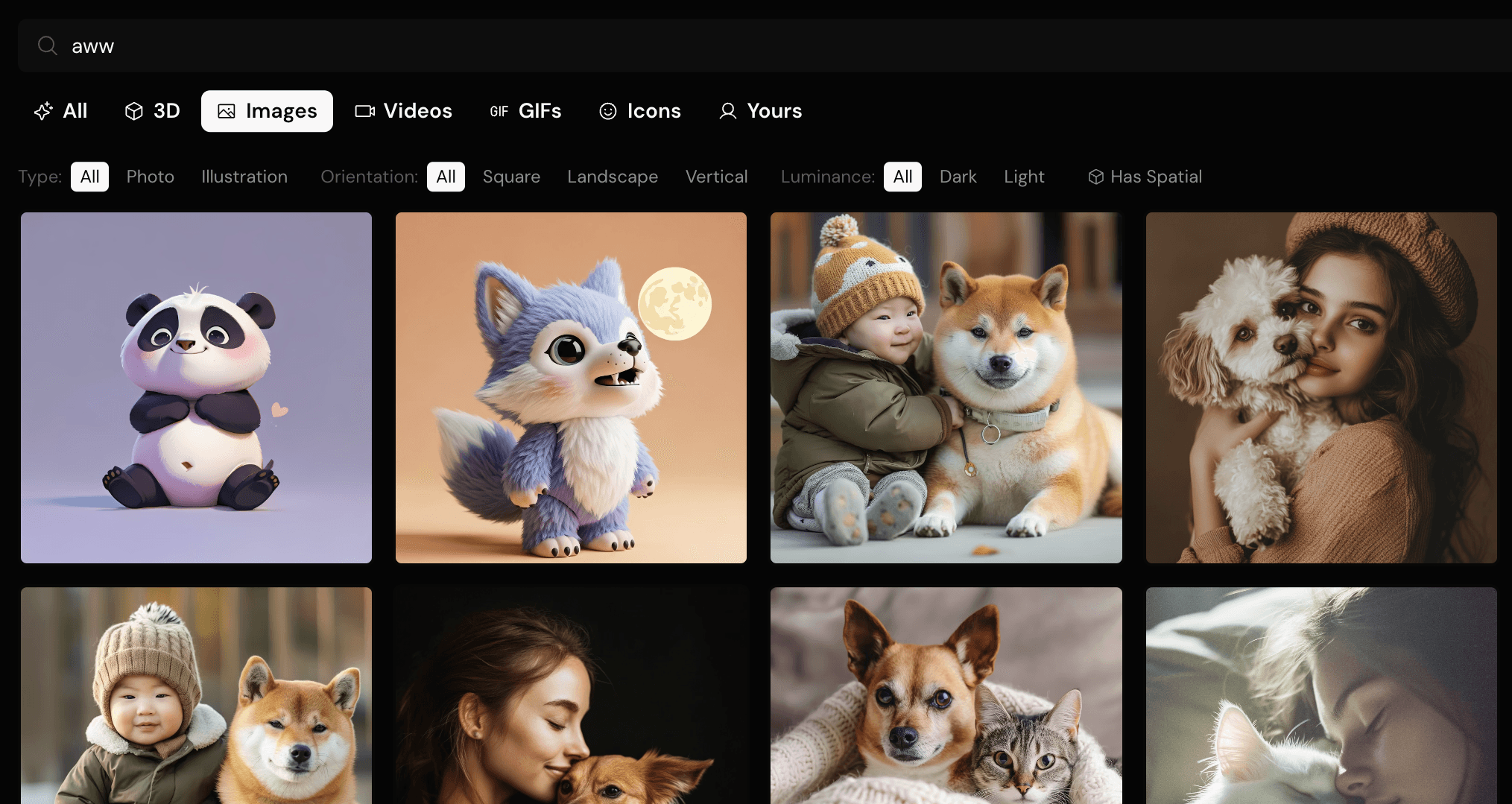
Unified media library showing Lummi stock photos with filter tabs
  • Unified Media Library - one searchable dialog for all input sources (3D models, photos, videos, icons)feature
  • Lummi stock photo integration - browse and search thousands of free, high-quality imagesfeature
  • Phosphor Icons as 3D input - search 1,500+ icons by name or keyword, they extrude into 3D shapesfeature
  • Responsive header with mobile menu - Efecto now works great on phones and tabletsfeature
  • 3D canvas toolbar - play/pause animation and reset camera with one clickfeature
  • Searchable color palettes - type 'green' or 'retro' to find matching palettes instantlyfeature
  • Randomize actions - shuffle settings, post-processes, or add random effect stacksfeature
  • New blog posts - in-depth dithering tutorial and Codrops collaboration articlefeature
  • New media samples - beard portrait, motorcycle, and more video optionsfeature
  • Simplified input panel from 3 tabs to 2 (Media + Shader)improvement
  • Icon search uses official Phosphor metadata with synonyms ('home' finds 'House', 'settings' finds 'Gear')improvement
  • Color palettes now work properly with all dither effectsimprovement
  • Smart post-process handling - palettes auto-disabled when dither effect already has colorsimprovement
  • URL parameters now correctly save and restore dither settingsfix
  • Fixed memory leaks and improved performance across the appfix
  • Animation accordion tooltip now wrapped in TooltipProviderfix
  • Command dialog positioning fixed to prevent layout shiftfix

v0.9.0

December 30, 2025

Color Palettes & Blog

Multi-color palettes for dithering, new media samples, and a brand new blog.

Floyd-Steinberg dithering effect with black and white color palette
  • Multi-color palettes for dither effects - use 2-6 colors with presets like Game Boy, Synthwave, Cyberpunkfeature
  • Drag to reorder palette colors - creates trippy inverted/gradient effectsfeature
  • New blog at efecto.app/blog with tutorials and articlesfeature
  • 2 new video samples - Manga and Panda animationsfeature
  • Improved command search - type 'dith' to find all dither effectsfeature
  • Effect tabs now sync correctly when loading posters or URLsimprovement
  • Better WebGL error handling with fallback UIimprovement
  • SEO improvements - sitemap, robots.txt, Google Analyticsimprovement
  • Uploaded videos now display correctly (was showing black)fix
  • 4 new 3D models with improved thumbnailsfix

v0.8.0

December 28, 2025

Command Menu & Search

Navigate everything from the menubar or search with Cmd+K.

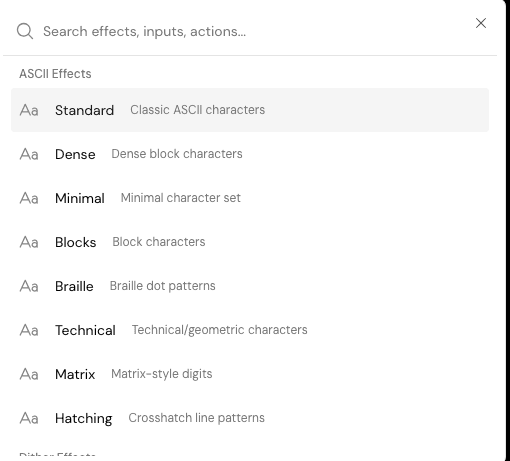
Command palette showing searchable effects, inputs, and actions
  • Command palette - search all effects, inputs, models, and actions (Cmd+K or Cmd+/)feature
  • Effects menu - browse ASCII, Dither, Glitch, Special effects and all post-processesfeature
  • Input menu - access 3D shapes, models by category, SVGs, media, and shadersfeature
  • 160+ searchable items indexed for quick accessfeature
  • Recent commands - quickly re-access your last used itemsfeature
  • Adding post-process effects now auto-opens settings popoverimprovement
  • Submenus appear on hover for faster navigationimprovement
  • Renamed 'Weird' effect tab to 'Special' for consistencyimprovement

v0.7.0

December 27, 2025

Glitch Effects & Stackable Post-Processing

New VHS and Digital glitch effects, plus a powerful post-processing system with 12 stackable effects.

VHS glitch effect with RGB color shifting and scanlines
  • VHS Glitch effect - grain, RGB shift, scanlines, noise, distortionfeature
  • Digital Glitch effect - block corruption, displacement, line tearsfeature
  • Stackable post-processing - add multiple effects on top of any base effectfeature
  • 16 post-process effects: Scanlines, Vignette, Chromatic Aberration, CRT Curvature, Film Grain, Noise, Pixelate, Wave Distortion, RGB Glitch, Color Adjust, Color Palette, Jitter, Bloom, Dot Screen, Sepia, Gridfeature
  • Grid effect with color presets, cell size, line width, rotation, noise, glow, softness, and perspective controlsfeature
  • Post-process presets - quickly apply curated effect combinationsfeature
  • Code export for all effect types including glitch and post-processingfeature
  • Enhanced Film Grain with size, speed, and color grain controlsimprovement
  • Chromatic Aberration now supports 0-360° angle controlimprovement
  • Shareable URLs now include glitch settings and post-process stackimprovement
  • Redesigned 4-tab effect layout (ASCII, Dither, Glitch, Weird)improvement
  • Consistent UI across Input Source tabsimprovement
  • Post-process settings now update in real-time when changedfix

v0.6.0

December 25, 2025

Posters & Expanded Model Library

Save multiple compositions with Posters and explore 32 new cartoon models.

  • Posters system - save, rename, duplicate, and organize multiple compositionsfeature
  • 32 new cartoon models - rockets, ghosts, fruits, animals, tools, and morefeature
  • New Cartoon category in model libraryfeature
  • Copy and paste effects between postersfeature
  • Camera state persistence per posterfeature
  • IndexedDB storage for larger file uploads (50MB+)improvement
  • Character models now properly centeredimprovement
  • Better thumbnail brightness and consistencyimprovement
  • Metallic and glass materials now render correctly on all modelsfix
  • Fixed GPU memory leak when switching modelsfix
  • Error recovery for failed model loads with click-to-retryfix

v0.5.6

December 16, 2025

Shareable Links & New Shaders

Share your creations with URL parameters and explore new shader effects.

  • Shareable URLs - link directly to any shader or effectfeature
  • New Chrome shader - liquid metal with purple, silver, gold presetsfeature
  • New Pulsar shader - Joy Division style waveformsfeature
  • New Black Hole shader - gravitational lensing effectfeature
  • What's New modal shows latest updates on launchfeature
  • Cleaner shader UI - only shows relevant color controls per shaderimprovement
  • Per-shader color defaults (white/black for Pulsar, colorful for gradients)improvement
  • Single-color shaders can now use just one colorfix

v0.5.5

December 7, 2025

UI Refresh & New Effects

Major UI improvements with new font, icons, and interactive shader effects.

  • New Particles shader - floating particles that follow your mousefeature
  • New Fireworks shader - sparkler effects with mouse interactionfeature
  • Switched to DM Sans font for better readabilityfeature
  • New Phosphor icons throughout the appfeature
  • Improved font weights and label consistencyimprovement
  • Aligned dropdown menus with slider controlsfix
  • Pulsar shader now centers vertically and prevents wave cutofffix

v0.5.4

December 5, 2025

Firefox Support & Security

Better browser compatibility and security updates.

  • Added Canvas 2D fallback for dither effect on Firefoxfix
  • Updated Next.js and React to patch security vulnerabilitiesfix

v0.5.3

December 2, 2025

Animated GIF Support

Now supporting animated GIFs with a unified media experience.

  • Animated GIF support as inputfeature
  • Unified Media tab combining videos, images, and GIFsfeature
  • Static thumbnails for shape gridimprovement

v0.5.2

December 1, 2025

Expanded Model Library

70 new 3D models to choose from.

  • Expanded model library to 70 modelsfeature
  • Static thumbnails for faster browsingfeature
  • Fixed selection state in model gridfix

v0.5.1

November 29, 2025

Video Recording & UI Polish

Record your creations and enjoy a more polished interface.

  • Native MP4 recording for Chrome 126+ and Safarifeature
  • Integrated recording with Three.js render loopfeature
  • UI polish and consistency improvementsimprovement
  • Fixed video recording capture issuesfix
  • Graceful fallback for WebGPU recordingfix

v0.5.0

November 28, 2025

3D Model Library

Browse and select from a curated library of 3D models.

  • 3D model library with cached thumbnailsfeature
  • Enhanced grain and vignette overlay effectsfeature

v0.4.0

November 25, 2025

Shader Backgrounds

Use animated shaders as your background instead of 3D models.

  • New Shader input type with 4 variantsfeature
  • Liquid Metal shader with chrome reflectionsfeature
  • Glass shader with refractive effectsfeature
  • Redesigned Mesh Gradient shaderfeature
  • Better color controls for shadersimprovement

v0.3.0

November 19, 2025

State Persistence

Your settings are now saved between sessions.

  • State persistence across sessionsfeature
  • Improved preset managementfeature
  • Major performance and quality improvementsimprovement
  • Symmetric dither color picker labelsfix

v0.2.1

November 18, 2025

Dithering Overhaul

Complete rewrite of the dithering system.

  • Proper error diffusion algorithmsfeature
  • Multiple dither pattern optionsfeature
  • Better color quantizationimprovement

v0.2.0

November 12, 2025

Screenshot & Recording

Capture and share your creations.

  • Screenshot capture functionalityfeature
  • Video recording with MP4 conversionfeature
  • Credits section in sidebarfeature
  • Screen capture working in dither modefix

v0.1.1

November 4, 2025

Upload System

Upload your own models, videos, and images.

  • Upload custom 3D models (GLTF/GLB)feature
  • Upload custom videos and imagesfeature
  • SVG extrusion supportfeature
  • Accessibility improvements for screen readersfeature
  • Design system updatesimprovement

v0.1.0

November 3, 2025

Initial Release

Efecto is born. Apply visual effects to 3D models, videos, and images.

  • ASCII art effect with customizable charactersfeature
  • Dithering effect with multiple algorithmsfeature
  • Halftone effect with pattern optionsfeature
  • Support for 3D models, videos, and imagesfeature
  • Code export for developersfeature